VIDOWN

YOUTUBE MUSIC DOWNLOADER

Paste a YouTube Music link, preview the media, choose an available format, and download for lawful personal offline use.

YouTube Music link detected

HOW TO DOWNLOAD

01

OPEN

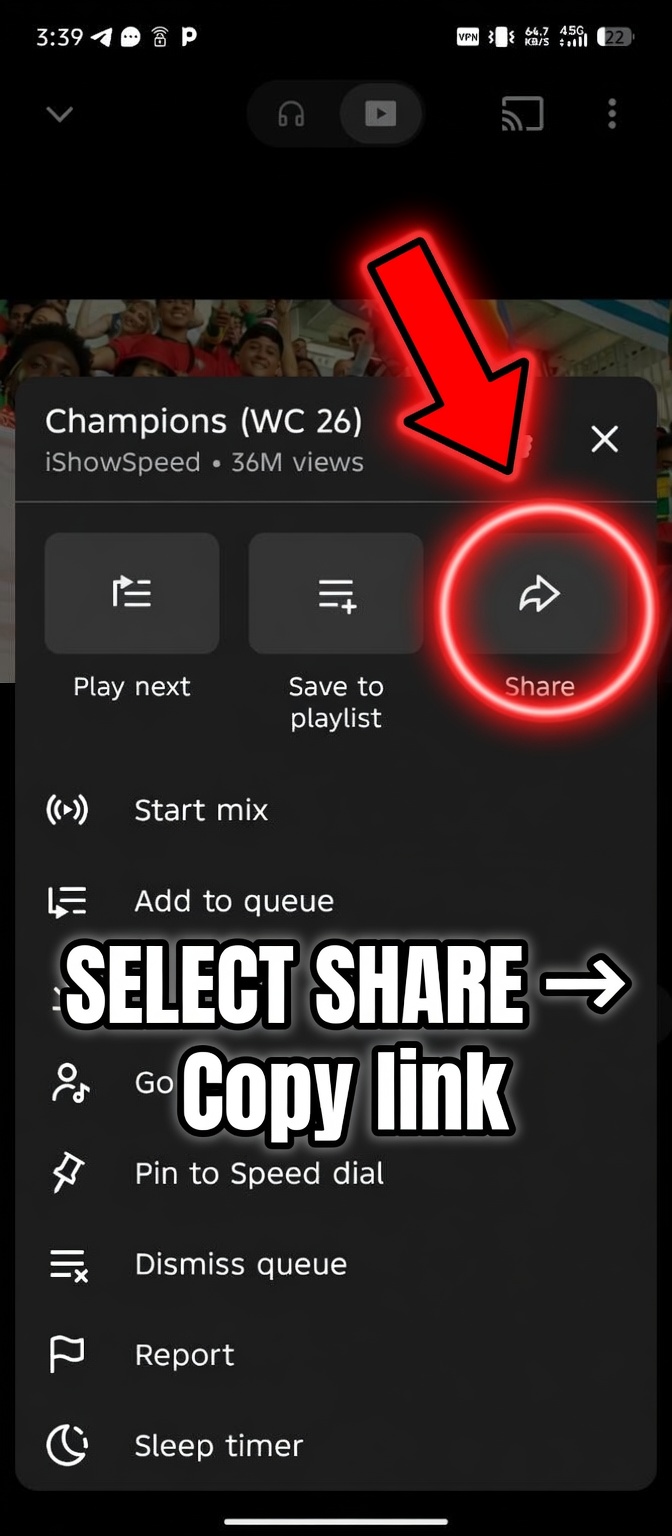
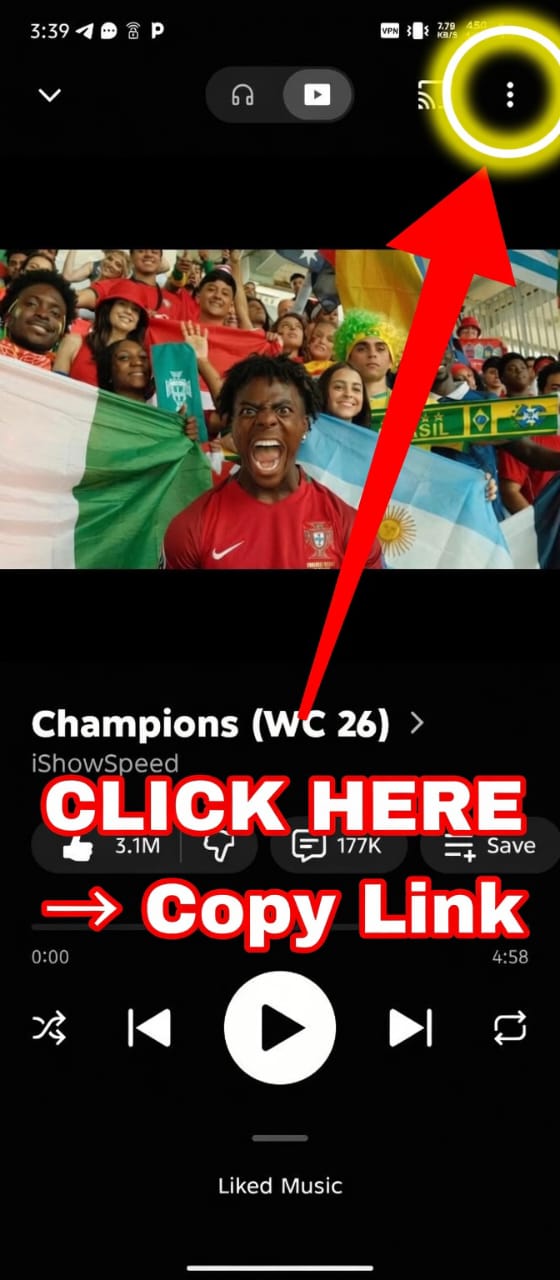
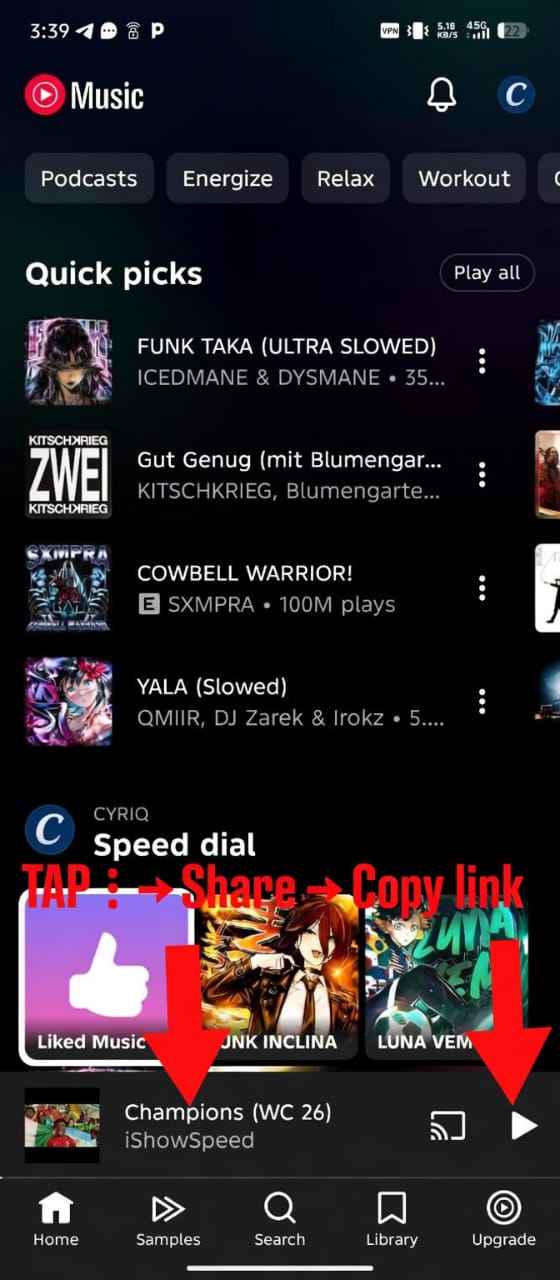
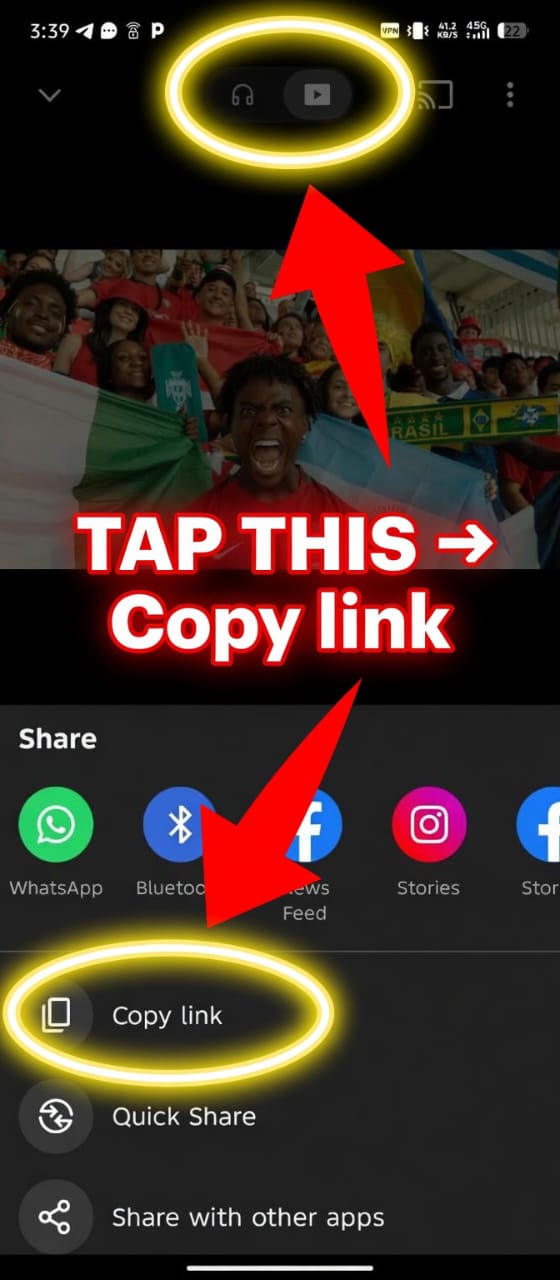
Open YouTube Music and copy the song, album track, playlist item, or music video link.

02

PASTE

Paste the music.youtube.com link into Vidown and wait for the preview box to load.

03

CHOOSE

Click Download, pick an available format or quality, and prepare your file.

FAQ

Does Vidown support YouTube Music?

Yes. Vidown detects music.youtube.com links and processes them through the same download flow used for supported YouTube media.

Can I download audio from YouTube Music?

When audio formats are available, the quality list can include audio-friendly options returned by the processing worker.

Can I use playlist links?

Vidown is designed for direct item links. For best results, copy the individual song, track, or music video URL.

Do I need a Vidown account?

No. Vidown does not require a user account to paste a supported link and start a download job.

Is Vidown affiliated with YouTube Music?

No. Vidown is independent and is not affiliated with, endorsed by, or partnered with YouTube or YouTube Music.

About YouTube Music downloads

Vidown now supports YouTube Music links from music.youtube.com. The page is built for users who want a simple personal offline workflow for music videos, tracks, and other accessible YouTube Music media. Paste the link, review the preview, then choose from the available formats returned by the processing system.

The service is intended for personal, lawful, non-commercial use only. Users are responsible for ensuring they have the right to download and keep any content they submit. Vidown operates independently and is not affiliated with YouTube, YouTube Music, Google, or any supported platform.